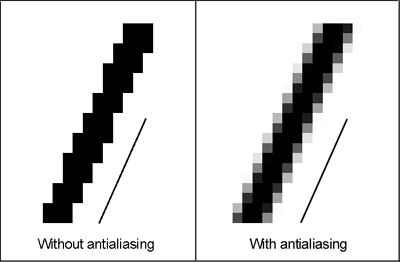
Also note that when coloring soft or antialiase line art on a page you'll need to expand your selection when using the magic wand tool to select an area and fill... If you color that way. I know I do.
Also, 300 dpi is a really good high resolution to work in and high def for print, however it can make for big image files and looks no different on a computer screen from a 72 dpi image.
DPI stands for dots per inch, referring to printer ink and doesn't make a difference on a computer screen.
However, again, it a really good idea to work big (with a big canvas size or high resolution) and then scale down your finished pages into a "for web" format. Using this tactic you'd also be able to ink with aliased/hard lines and then when scaled down wouldn't appear pixelated.
I work with vector layers in Manga studio which are aliased lines by nature. I find it's easier to color with aliased lines and vector lines give me more options. No idea how Sai works though.