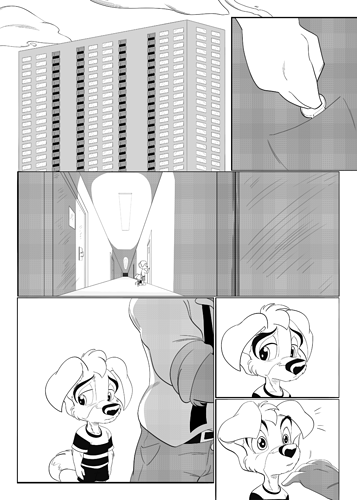
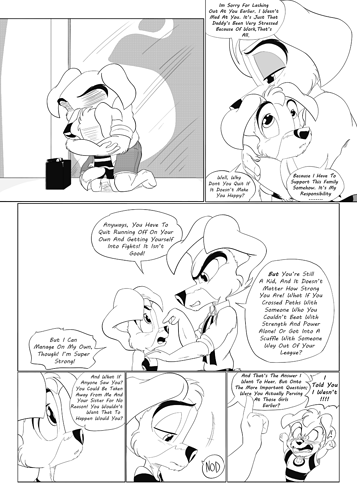
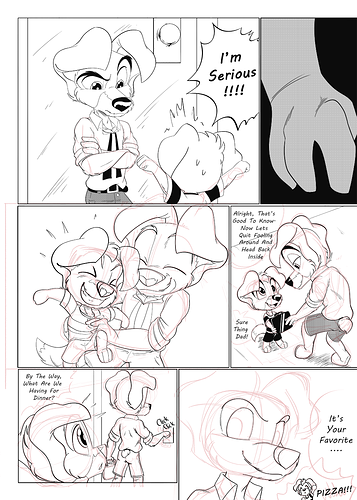
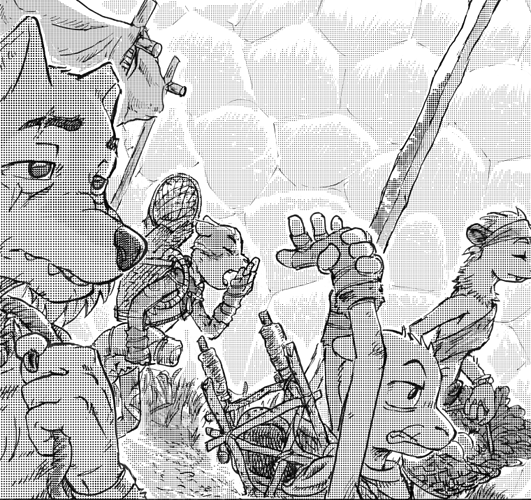
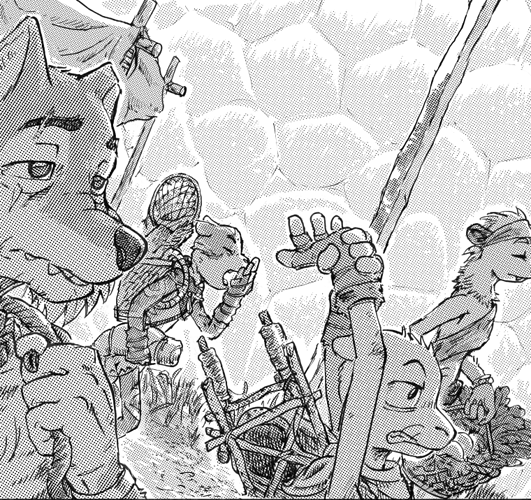
When you compress screentone that is very small, it will compress like this. Especially since a lot of people have devices of different sizes, you don't have control over whether or not the screen tone will get compressed and how much unless they're looking at it on browser (especially on WT where I don't think you can zoom).
So, I personally think that if your intention is digital, that the problem isn't so much the DPI but the size of your screentone. DPI is more about printing and brush size, which I'm assuming you aren't talking about here.
This took me a while to figure out because there's this myth that all digital files must be 72 dpi for web viewing, and that was what I was taught in college, so I'd always want to account for a loss of DPI with tricky math. But, in reality all files saved for digital are saved in a pixel size. Once you do that, they do not use their DPI information anymore and will output the image at the most optimal way for their digital device--meaning they both look exactly the same on browser and phone, whether you have a 72 dpi image or a 600 dpi image. That's kind of how the computer does it. One will be a massive file size vs the other, but they will be the same width, height, and fidelity unless your dpi gets much smaller than 72.
When our screentone gets effed up in compression from going from print to web viewing--no matter the DPI--it's because the compressor does not know that's screentone. It won't replicate dots. It's making the rough estimate of the square of information that was there before, which will be shades of gray. And because it usually does this in square chunks, that's why digital compression has like...squares to it. There are ways to adjust the interpolation (which is what this process is called) with pull down menus. It's more of a bigger deal with color than black and white (I usually don't care about moire that much, I honestly don't) but you can read up on it here: https://www.dummies.com/software/adobe/photoshop/how-to-resample-images-in-photoshop-cs6/ It may be that switching your interpolation to bicubic or bilinear will help it look better.
So a few things I've learned, after doing a Black and White project with screentone a year back and making a lot of experiments as I went along, and especially after looking at my screentone on the phone where my pages are smaller:
- If the screentone is very very small, just make it gray. The phone will make it gray, so just make it gray.
- If the screentone has a gradient to it, it will have less impression of moire and compression (moire will still exist, but it won't be as jarring)
- If the screentone is very dark, it's better at being read as screentone, vs when it's light, when it will usually just fade in the bg, and if it were on a phone, may as well just be gray.
- bigger screentone is less likely to do moire than smaller screentone, but will compete with your image so I had to make them less than 100% black (which is fine, because my piece only had screentone for the vibes and not black and white printing dreams).
- Screentone textures that have a randomized effect are better at hiding the compression of moire than patterned screens.
- You compress your file in photoshop, and then WT and Tapas will compress it again for uploading (especially if you upload Jpeg. Jpeg tends to work better for some places, but WT and Tapas will compress the hell out of your Jpegs, so using png help avoid some of the nastier compression, but WT in particular sucks at doing any sort of gradient and will chew it the hell up on the phone.)
And like, this will compress again when I upload them here onto this forum because it'll be shrunk to the width of 386, so I'll have a link below each to see it at the intended size, but I found that having my screentones bigger kept it from moire even if I overlapped them
https://tapas.io/episode/1572036
and how choosing screentones with a toothy or randomized feel to them alleviates the compression.
https://tapas.io/episode/1650933
But in the end, digital screentone has a little moire in it unless it's quite big, so it's OK if it's there. The biggest thing is that it's legible or not and not too distracting. And, all of these pages in the beginning were saved at 72 DPI and drawn in 300 DPI, so it really didn't matter, because youknow...it's for web, it's not print.