I usually adapt the Cover depending the website the Authors I work with posts.
First of all, I work at around 4000x3000 pixels at 200dpi for every Artwork I make, be it for commissions, personal or webcomics. That means I don't run into troube when it comes to making the Art for the Cover, its better to work in a bigger canvas and then creating a copy in a smaller resolution and quality. I usually do this for every piece of work I share online as well with the only difference that my Social Media images are at 800x800 pixels at 72dpi and watermarked.
I keep everything separated in layers, just in case I have to either redraw a few parts or being able to accomodate the different elements within the space given by the specific platforms.
After I save the original file, I still keep the PSD / CLIP file.
I resize to the platform's recommended size, I keep in mind their indications about which areas I should keep blank or with minimum detail, or in the case if the platform allows the Title within the Cover.
For example, if you post on Webtoon, you'll rather follow this information:
Image
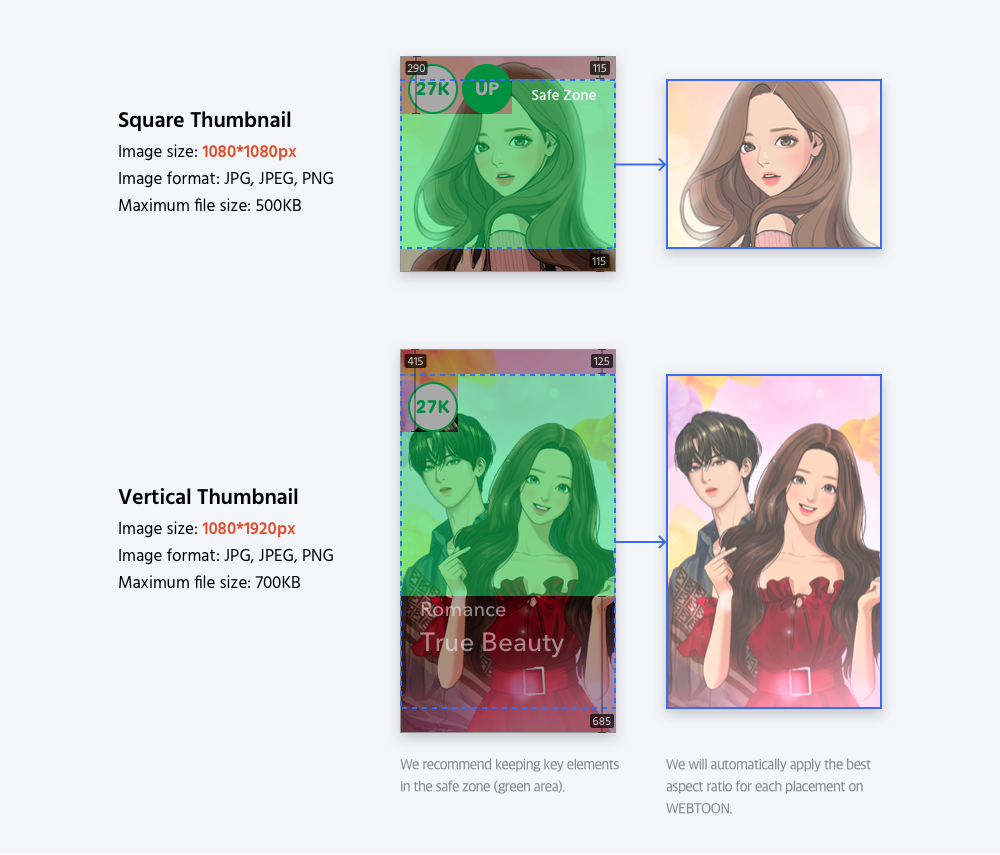
Tapas on the other hand, has different meassurements compared to Webtoon, but its important to follow them for better perfomance. They have posts that provide great aid about how to make your cover.
Introducing Book Covers
A Quick Guide to Thumbnailing.
Webcomics App has its own guidelines and meassures regarding Covers and Thumbnails too
Images
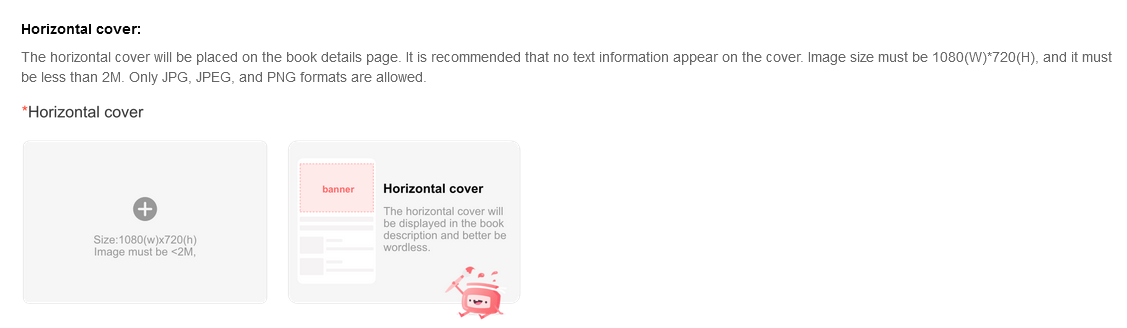
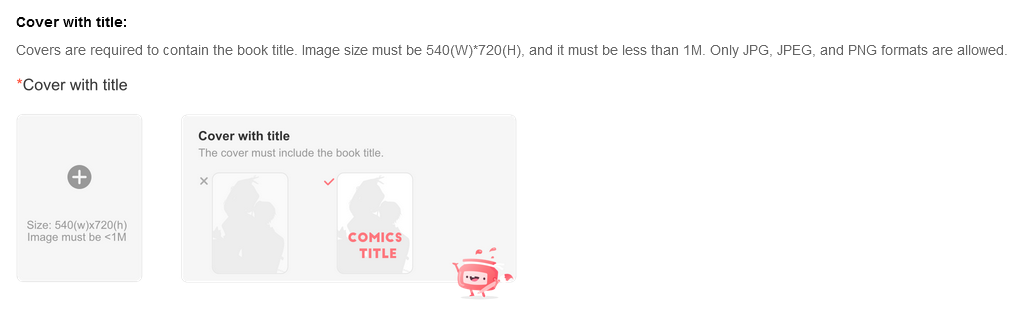
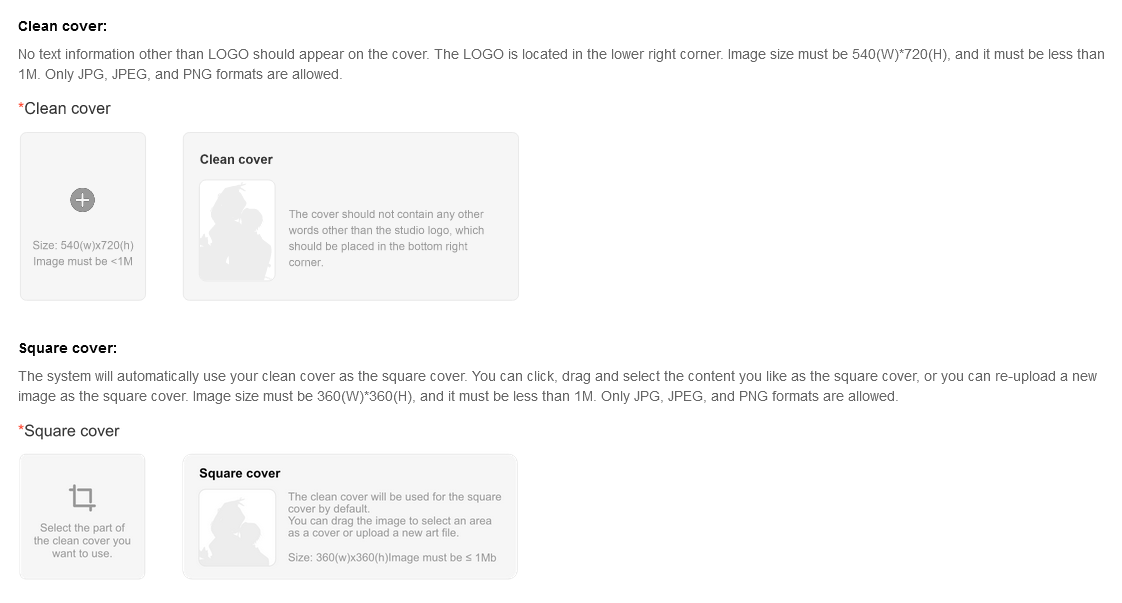
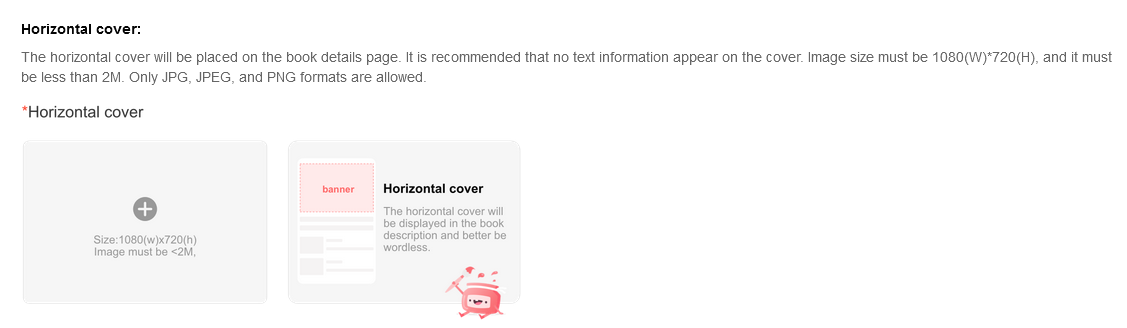
There are other platforms that have no issue using Webtoon or Tapas's Thumbnail/Covers, while canvas size can be any, other places only care about the file size limit. So, always pay attention to that before posting or making a cover so you know how to adapt your work around it.


