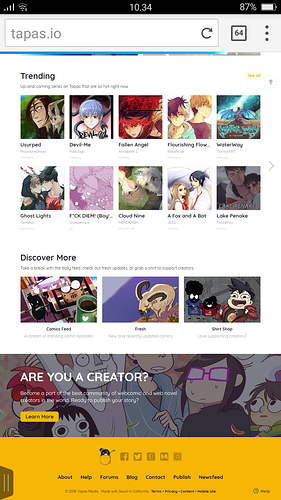
Both the app and the webpage have the fresh section which is where comics appear ever time they update (though max of once per day). While you should also promote yourself, tapas users absolutely can and do find comics via the fresh section. However your success may vary based on luck, the mass or niche appeal of your comic, the quality of your thumbnail, art, and story, etc.
It's worth noting that community comics can also appear in the "trending" section. This works via an algorithm which, to put simply, takes into account activity (subs/like/comments) on your comic. The nice thing about it is its weighted so both very young, and older more popular comics can appear.
It's just up to you to decide which platform you like best. If you start with one but find you do better somewhere else, there's nothing to say you can't switch. (Tapas is my main, but I also post on smackjeeves and webtoon)
As mentioned, you can put a link to your comic in your personal profile. What I personally like about this is that it rewards you for engaging genuinely with the forums. If you're being real and talking with people and sharing your thoughts, other forum users might feel curious about you, and without you ever having to awkwardly bring up your comic, they'll just go look for themselves, find the link in your profile, and pop over to your comic. Of course you can also post links to forum topics where the purpose is promotion, or it is relevant to the conversation.
The standard recommendation is to come up with a schedule that you can keep up with. I post one page per episode, and one episode a week. Others post one page per episode, twice a week, but someone else might post three pages in one ep per week, etc etc. It's nice if you can post semi regularly, as that is when you appear in the fresh section and have the best chance for new users to see your comic and subscribe, however there's no one right way to do this.
I need more information! Does the gif play when you open it normally, but not when you upload it? Or is it not working entirely? If it's not working regardless, what program did you make the animation in, and are you sure you saved it correctly? (for example in photoshop you have to do "save for web" not "save as").
You might need to make a topic just for trouble shooting your gif problem, but if I can help I will.