If you want to emphasize the overall scene, you could pull the camera up and back a bit so readers can see more background details.
If you want to focus on the character, lower the camera angle slightly— @Lensing already provided an example of this approach below, and your corrected version looks quite good.
In the current version, if you extend the scene beyond your frame, you'll notice the character still appears too large. So you'll need to either make the buildings taller or scale down the character. Naturally, shrinking the character is easier XD.
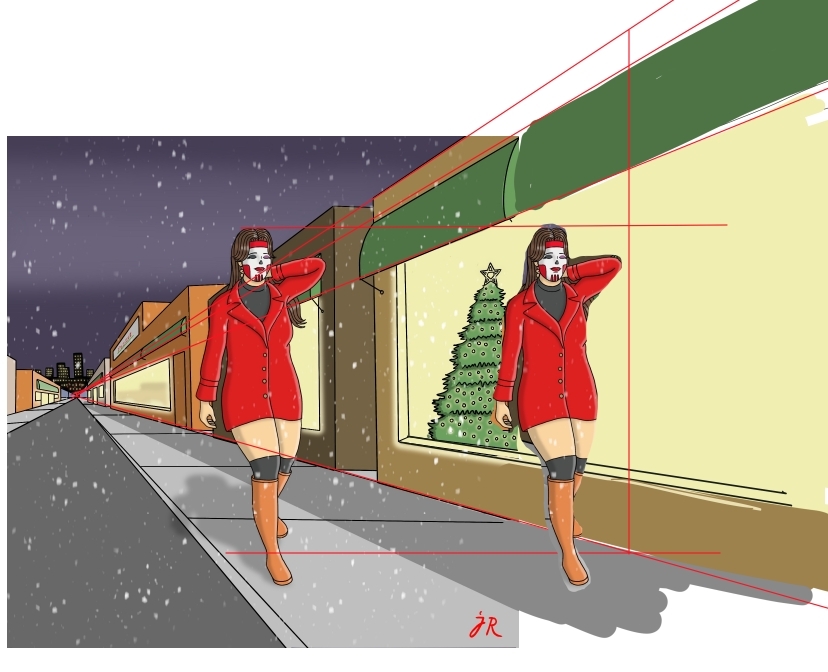
Overall, I think it's already very good. Moving forward, you could research and improve in two areas:
1
The current version. Its vanishing point is around the character's waist height, meaning the camera is positioned at waist level—this feels somewhat unintuitive. (Though if the work is for children, it's actually a good choice, viewing from a child's perspective.)
So I suggest raising the vanishing point higher to create a more natural adult eye-level view coming face-to-face.
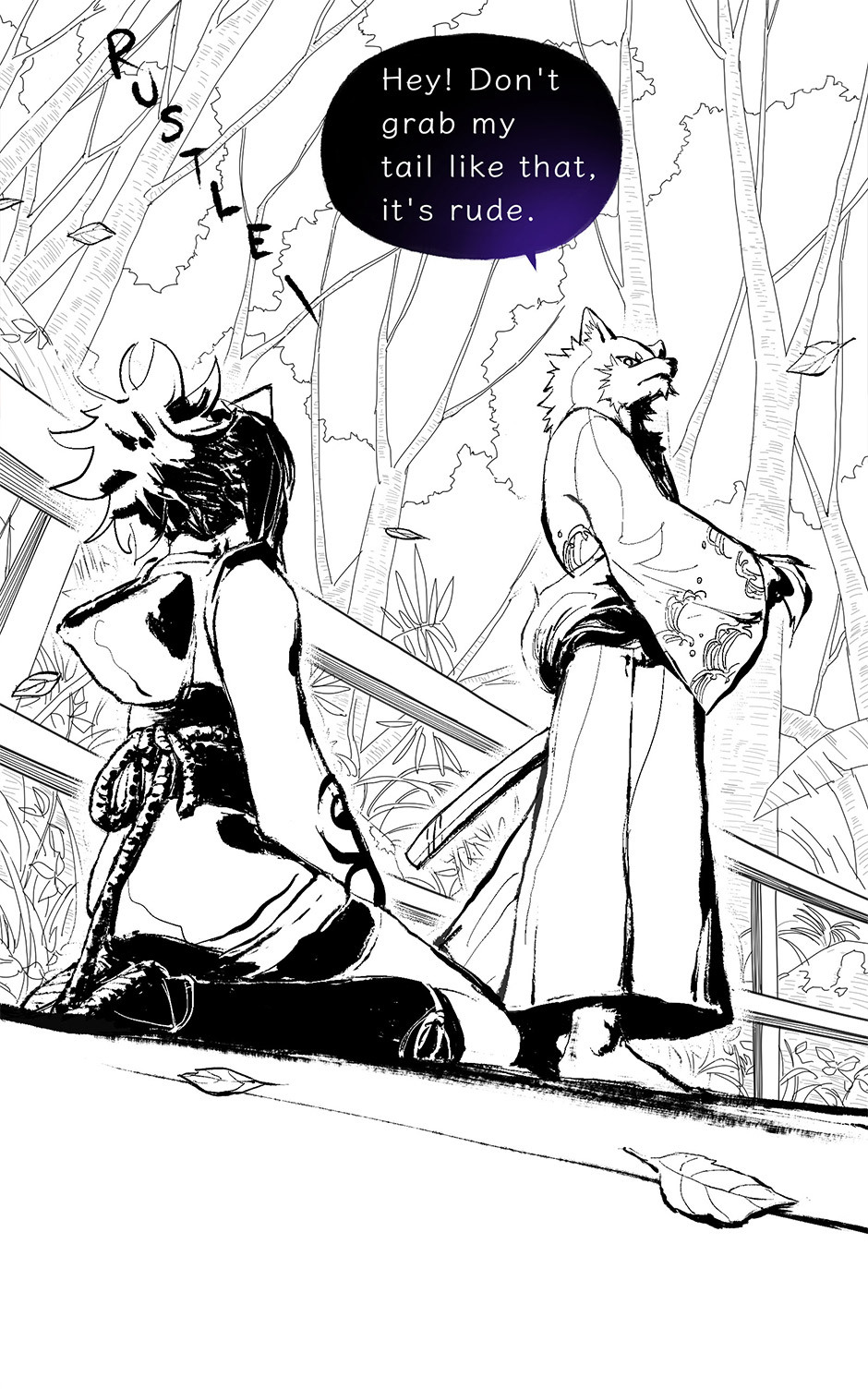
If you want strong dramatic effect, you could lower the vanishing point to foot level, like the angle in this image of mine:
2
Following the original version, use two-point perspective. But ensure both vanishing points are at the same height—that is, the camera height.
Camera (viewer) height = horizon line height → vanishing point falls on the horizon line.
Using the original image as an example, the green line below is the horizon line.
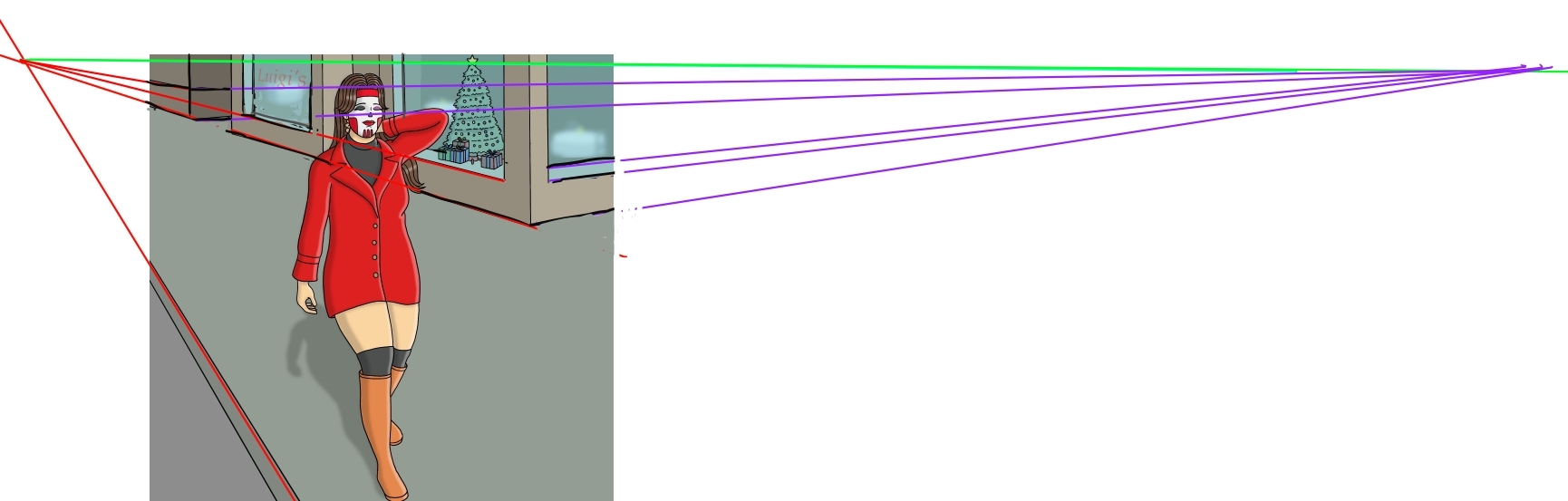
Both vanishing points sit on the horizon line, with lines converging toward them.
After slight adjustments, it looks like this:

However, there's another issue. Since this image appears to be shot from above the character's head height, but the character looks straight ahead at eye level, you'd need to adjust the character to a slightly downward-looking angle. Otherwise, it looks like the character is walking down a slope.


