I originally started in page format only, then switched to vertical format for Webtoons only... then eventually decided to use the vertical format on Tapas too and keep the page format for ComicFury. To answer your questions... 
Why did you make this decision, given the extra work involved?
More than anything else... the way Webtoon itself works. I was originally posting my pages in print format on there too, only with slightly less white space around the panels, but I didn't like it very much. The panels/text still looked a bit too small to me and I had troubles figuring out how much space to leave between one page and another. But more than anything else, I was aware that my episodes after chapter 1 were going to be much shorter (only one-two pages instead of four as I'd been doing up until that point) and that, using a print format, they were going to look even shorter, even if the actual number of panels in each page was going to be higher. So I decided to switch to a vertical format for WT. It was a very painful decision at first, because I really, really didn't want to spend a lot of my time reformatting pages and trying to make everything fit was a huge pain in the butt (I have LOTS of horizontal panels ò_ò)... in the end, however, I was pretty satisfied with the result and I think it does work a lot better for the site 
What's your workflow like?
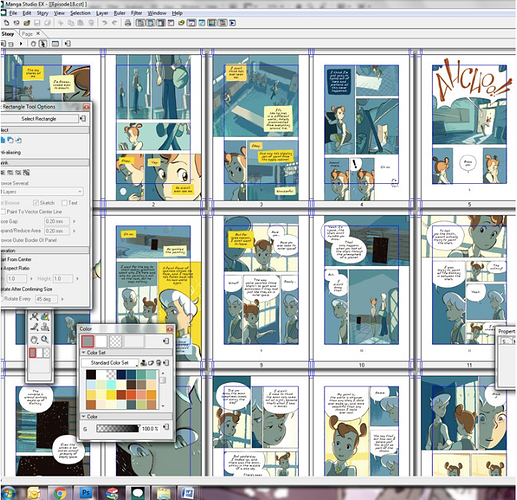
I still make my pages in print format first. I work on an A4 canvas at 300 dpi and always make sure to save a flattened, big version of each page with no balloons on it. When working on the vertical format, I copy-paste my panels from there. I used to switch between Photoshop and Clip Studio Paint to do it, but nowadays I just use Affinity, since it's easy to use and doesn't have the same bug with the font I'm using as Clip Studio has
Does it take you much time to adapt each page, and did you discover tricks along the way to speed it up?
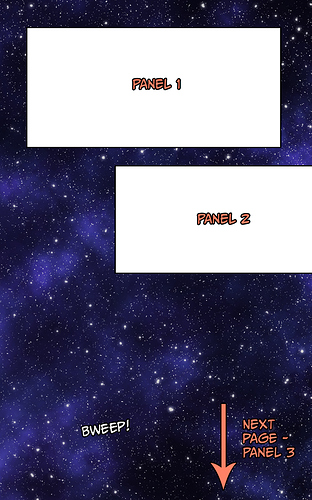
It IS pretty time consuming, I won't lie. Finding the proper way to make everything fit, redoing all text and sometimes having to split panels to make them work better for the mobile version is kind of a pain in the butt. WT pages are incredibly small, yet they also want you to use a huge ass font so that it's readable on mobile, which means that your panels will need to be pretty damn huge too. More often than not, I just slap a single panel into a "page" and call it a day XD I still try to make sure that they look good in a sequence, but I found it easier to work with one-two panels per page instead of trying to fit a lot of stuff on a single Webtoon page.
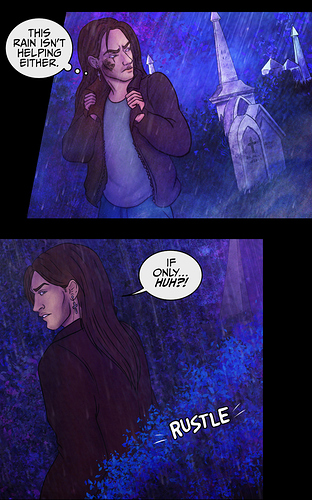
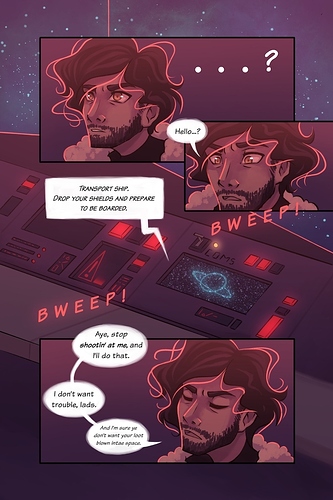
Here's what a single vertical "page" looks like. Same page can be found here in traditional format.
What's your preference as a reader?
No preference, honestly. I read comics mostly from my computer, so either format is fine for me. However, I also understand that I'm kind of an exception, as I do pretty much everything on my pc, while most people -and especially readers on both WT and Tapas- seem to use the phone app only, so I tried to go with what would work for the audience of both apps.
Is it different to your preference as a creator?
As a creator, I vastly prefer the page format... looks good on pc, looks good on my iPad, looks good on paper... and if the font is big enough, it can work on phones too. Vertical format pretty much only works on phones and while it has its perks, I prefer the versatility of print format. But alas, looks like most webcomic platforms nowadays don't agree with me :'D