To echo IndigoShirtProd, you should definitely first read the book "Making Comics" by Scott McCloud. His other books are good, but there's a lot of repeated content between "Understanding" and "Making", so I think a creator can skip "Understanding Comics", and the later one "Reinventing Comics" is worth reading, but not as essential.
For youtube tutorials, this one is really solid for making long-scroll comics:
This channel isn't tutorials so much as analysis of excellent comics, but it's well worth a watch:
Finally, not a Youtube, but I did write an entire document on making an effective and successful Tapas comic, which may be useful!:
A lot of the work of making a comic is making decisions before you start. So you've already planned your first chapters and have a general idea where your story is going, which is great! I also recommend making sure to try to plan the pacing of your story to establish a strong hook within about the first 3-6 updates if at all possible, because Tapas (and especially Webtoon) is an attention-economy 
Next you'll want to decide: Long Scroll or Page by Page.
I'm gonna give a hot take here that'll sound weird because I make page-by-page comics myself that I spread out a bit into a pseudo long-scroll format. If you don't have a really strong reason to make a page-by-page comic, like say "making a print book is a big part of my strategy with this comic" or "I make pages traditionally on paper" or "I have been making traditional format comics for years and I'd rather stick with what I'm already good at" or "I'm an experienced comics creator and I know page-by-page suits the storytelling/humour style I'm going for"... then make a long-scroll comic. It will work better on the platform, it'll probably get more readers and has a higher chance of getting attention from the staff.
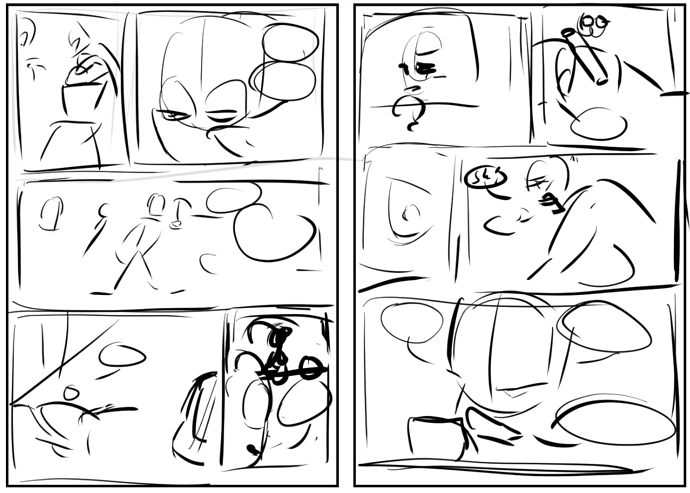
Planning out pages or episodes, personally I write out what needs to happen with bulletpoints or a script and go straight to rough thumbnails. Remember with thumbnails, they only need to be as complex as they need to be for you to tell what's going on, and don't be afraid to scrap things and try again. I often do my thumbnails on paper because I work page by page and it's easy to do chilling on the sofa with some music.
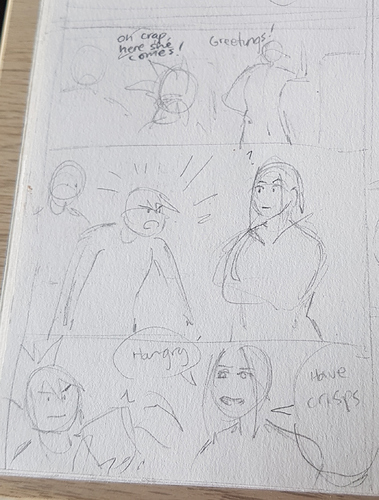
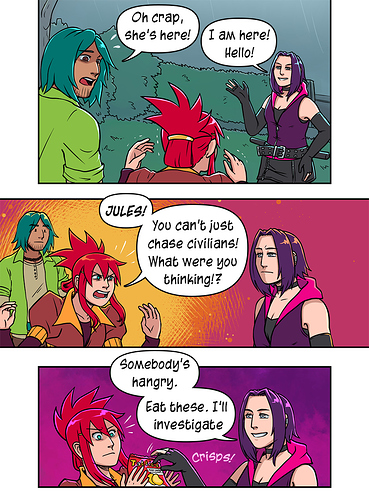
From this thumbnail compared to the final page, you can learn odd things about how I personally make pages:
- I don't actually have my dialogue written in stone until I write it on the page. I know the gist of what characters will say, but I often change up the exact wording based on how it flows or fits with the panel shape or expressions. Obviously, this approach isn't for everyone!
- The positions, expression and poses aren't always exactly the same. I'm personally a "go with the flow" sort of artist. Again, some people like to be VERY clear with much more detailed thumbnails that plan out exactly what a panel will look like.
Do your thumbnails however works best for you! You're the boss! All that matters is what gets you the best results!
Now you know what you're making, you should decide how!
Work out how many panels roughly an average episode or page of the comic you're making is going to be by thumbnailing a few from your script. Now have a go at drawing out a full panel or two in the style you want to work in and see how long it takes, or ideally try a full episode or page. If the amount of work was unreasonable, like if if took you a month to draw an episode or more than three or four days to draw a page, you need to look at ways to streamline your style. You will get faster at drawing over time, but it's best to start with something that balances "it looks nice" and "I can keep up reasonably regular updates of this on top of my work/study, social life, physical needs (like sleep) and other obligations."
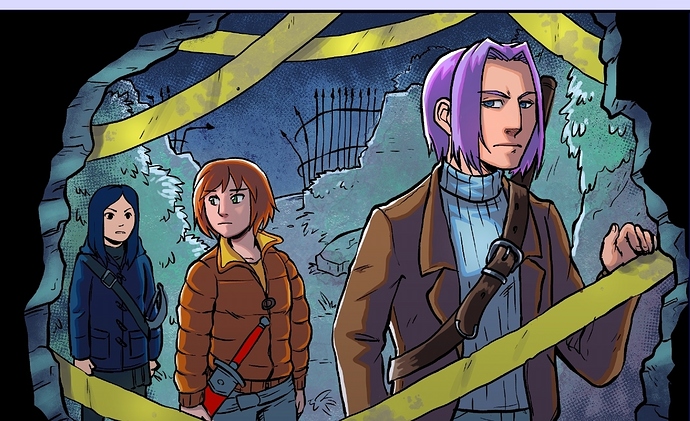
For example, my first style test of my comic looked like this:
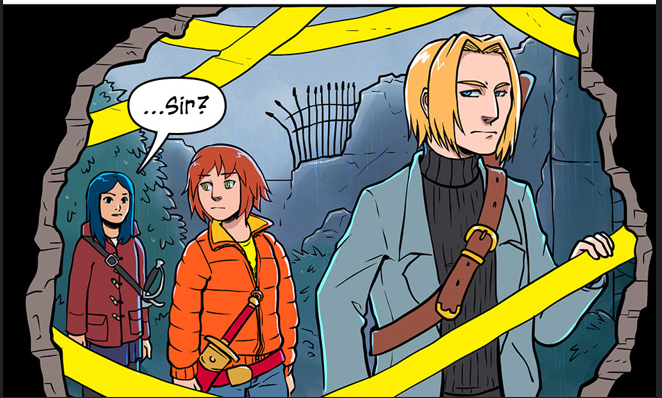
I didn't even finish this style test before realising this was way too time consuming (and also that some of my colour scheme choices weren't working out). So I tried a few times and ended up drawing it with mostly flat colours, shading only on skin because people pay more attention to faces, and with a simple "Add: Glow" edge highlight on foreground and simpler background rendering with a lot fewer texture passes like this:
Finally... before you launch, do these three things:
- Google the name you want to call your comic and the word "Webcomic" and make sure there isn't already a comic on Tapas called that. If there is another well-known comic called that, or a comic on Tapas called that, come up with a different name.
- Put time and effort into coming up with a really polished logo or title font for your comic.
- Make a strongly designed cover, thumbnmail and banner for your comic before you launch any pages. Do not launch with a placeholder. Why? Because you may rob yourself at a shot at a "new from the community" feature if your comic doesn't look polished. Launch with something that looks like a well-thought-out product for maximum effectiveness!
Doing all your research and development upfront can be a bit annoying when you're rearing to go, but it'll definitely pay off because you'll feel a lot more confident and make a lot more impact with your launch.
Good luck!