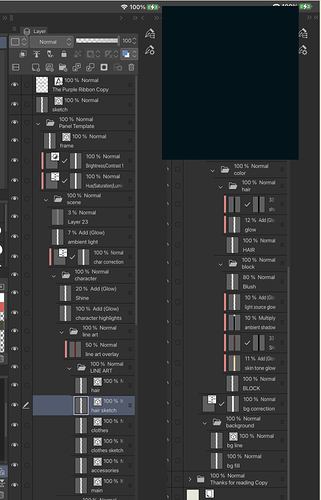
Here's a fun thing: In Errant, the only things that usually are fully shaded are skin, eyes and teeth (and even that is simple cel shade). Everything else is a flat colour. There's another layer above it transparency locked to the flats on "add" mode with a simple edge highlight on it. A lot of people don't notice this until it's pointed out to them. I came up with the style as something to balance speed and an interesting visual look similar to things like Enter the Spiderverse. In early style tests, the comic was fully shaded, but it was way too time consuming.
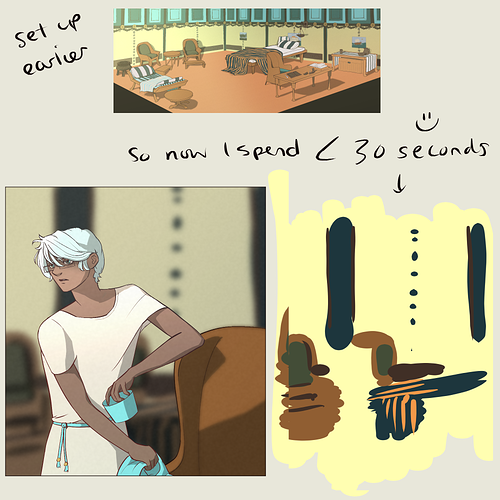
The backgrounds are just lineart, a quick and messy colour wash and some white pencil highlights on edges. It really speeds up the process while giving this overcast, damp atmosphere that works for the British setting.
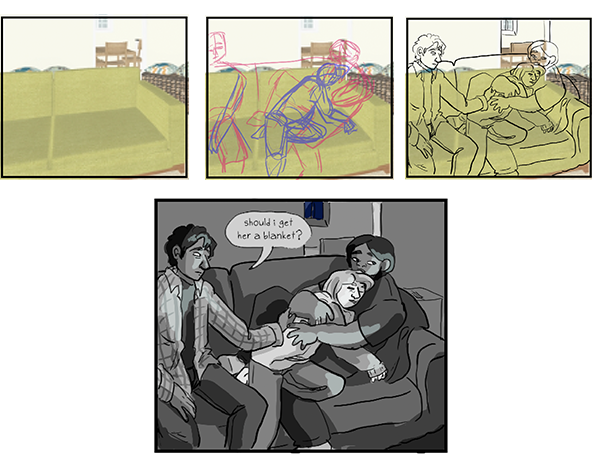
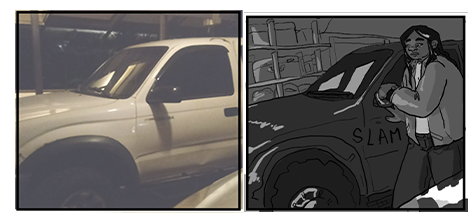
For anything complex, I use 3D models or photos and roughly trace to make them fit in with the style while avoiding perspective grids. I also sometimes copy-paste backgrounds or props I've already drawn, sometimes as a guide to ink over (if the scale is different) or just straight up drop them in if I can. Excalibur, for example, I cannot be arsed to redraw from scratch every time. 
Oh, and the Clip Studio panelling tools are a massive time saver. Just make a frame and slice it up and you're good to go with consistent gutter widths even on diagonals. Saves me a lot of time.
Clip Studio also has the "Close and Fill" tool, which if you set it up right can neatly fill in any area that is enclosed by a black outline. It can be pretty effective for getting your flats set up, especially on bitty things like the binding on Rekki's sword hilt.