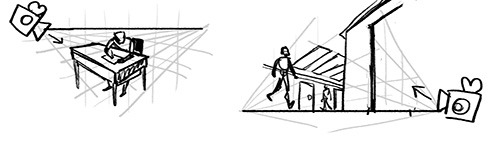
yeah!! I actually have some scribbles/illustrations of that handy as well -- some of you guys have seen these already, but I'll stick them in here in case that's useful for others!
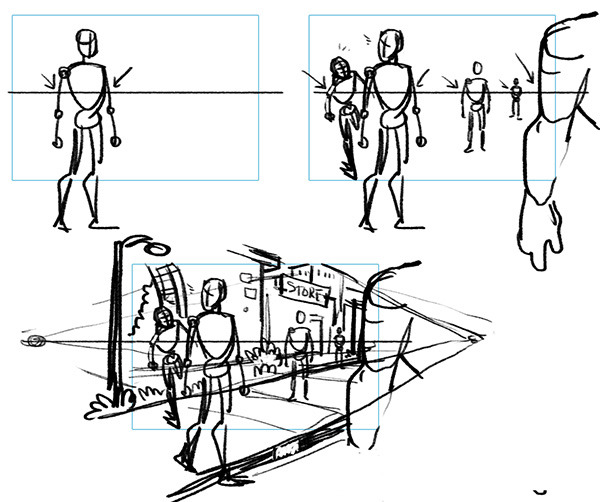
Some examples of how the horizon line "hits" everyone in the same place if they're the same height, so if you start with a horizon line and place one figure, you can place all the other figures pretty easily. In the first picture, everyone's head lines up with the horizon line, in the second picture, everyone's thighs line up at the horizon line:
 _ _
_ _ 
using this information to roughly figure out perspective in a scene -- once you add some more figures, you get a feeling of 3-D space, and it becomes easier to kinda guess where background elements would be. you just draw out those lines until you see where they run into your horizon line, and you can make a basic perspective grid that fits with all the figures in the scene:
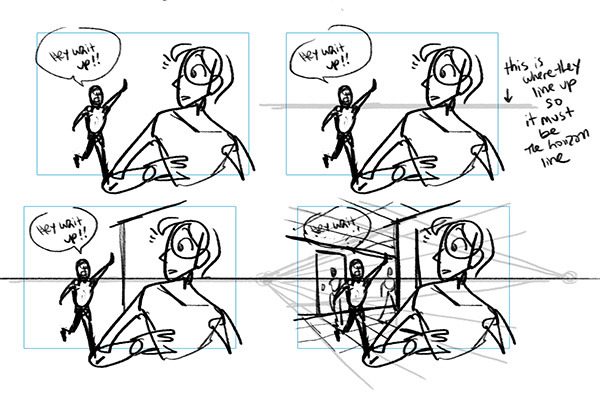
or you can figure out where the horizon line is from two characters (that are the same height) by seeing what points on their body line up, and assuming that's where the horizon line probably is:
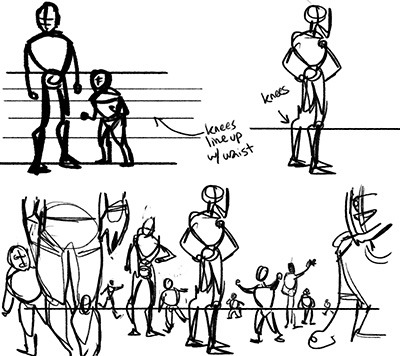
and also working with characters of different heights:
And while I'm at it, if you're looking for perspective tutorials, here's my favourite one by Jake Wyatt!