EDIT: Oops, did not check see this was old forum post revived in August 2025 (for some reason?)
I would suggest drawing the bouncing ball for your first-time animation. It has a good basic for squash-and-stretch and frames for time (faster vs slower motion), which is likely why it's often used for tutorials for how to animate on [fill in tool] here. I started with flip-book animation with paper and pencil.
Tutorials: Youtube or https://tips.clip-studio.com/en-us/official
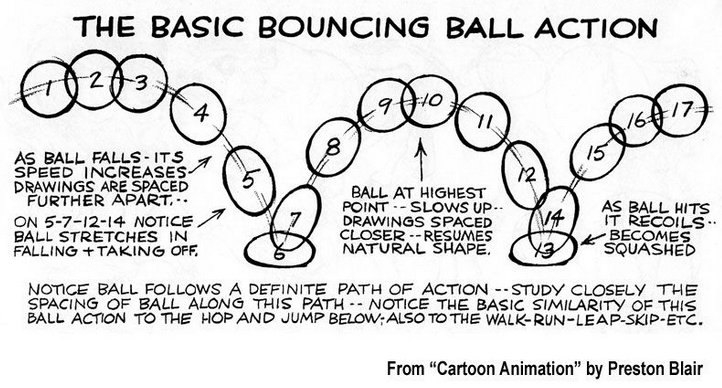
And copied below from older post on Tapas forum:
The animation folder should let you organize your animation cells over time, which is super helpful! 
From there, you can use the animation folder similar to layers for drawing.
Here's the setup I use in Clip Studio Paint for reference.
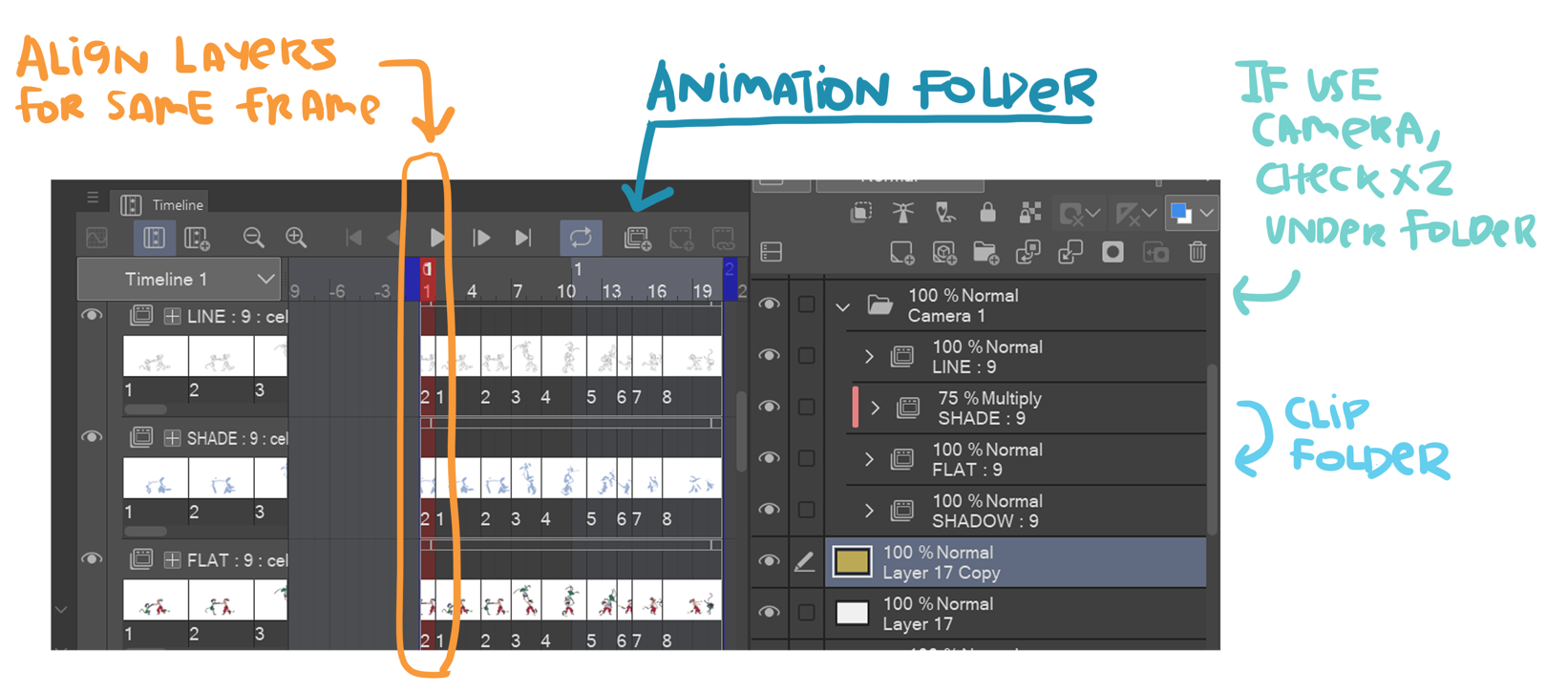
Short "button" notes for adding cells to animation folder.
- (A) Add animation folder
- (B) Add animation cells
- (C) Select frame in animation folder in timeline (see orange arrow), then Assign cell in frame


