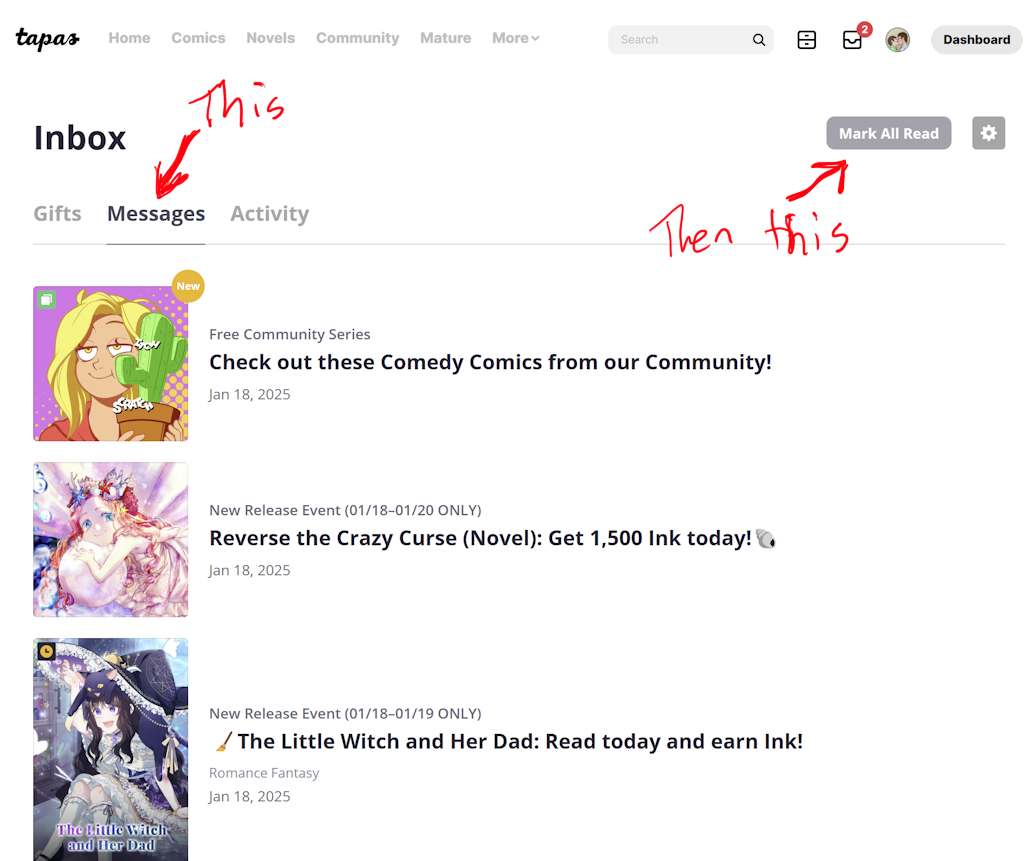
If you're using a PC, click on the "messages" and then click "Mark all as read". You might have to click "Mark all as read" a few times for it to work. This will remove all of the spam notifications and leave you with only the legitimate ones in your inbox. Your actual messages (and likes, and sub notifications, etc) can be found under "activity".
Unfortunately you cannot turn this off. Even if you delete the new notifications today you will have a few more tomorrow. And the next day. And the next. And so ad infinitum. Tapas will shove at least a few of these spam "notifications" down your throat every day, and every day you will need to "mark all as read".
I don't know how to do this on the ap, or it it's even possible to, because I straight up flat out refuse to download the app. The app blocks "M" rated content and I resent how Tapas tries to force you to download it (to the point of breaking the functionality of the website when viewed on a mobile browser)